
SafeCopy — Back up phone folders to your PC, NAS or server
Back up phone folders to a place you own: your computer, a NAS, an SFTP, FTP, FTPS or WebDAV server, an SD card or a USB drive. See every change before it runs, and get proof that each copy is good. No cloud account, no ads.
- StatusComing soon
- CategoryBackup and folder sync
- PriceFree · one-time Pro
- Languages12 languages
- PlatformAndroid
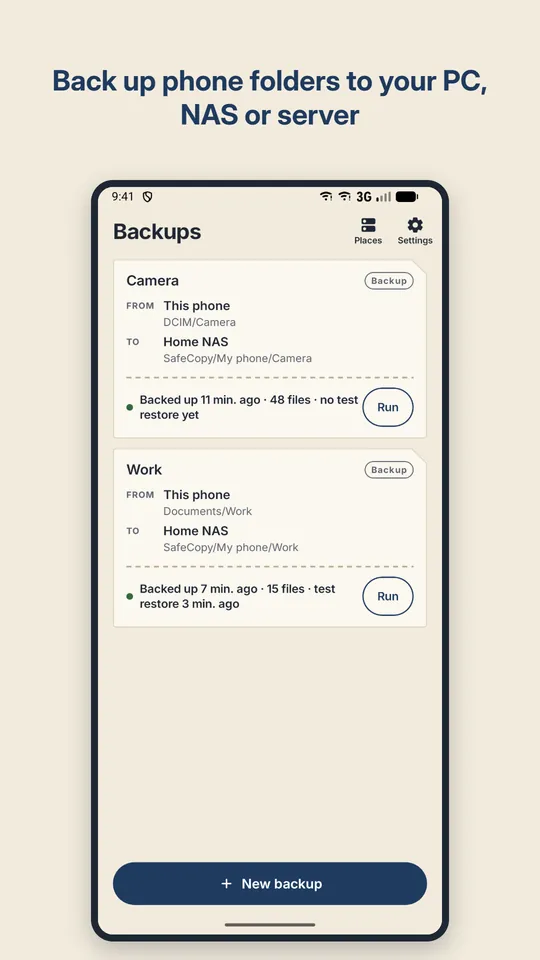
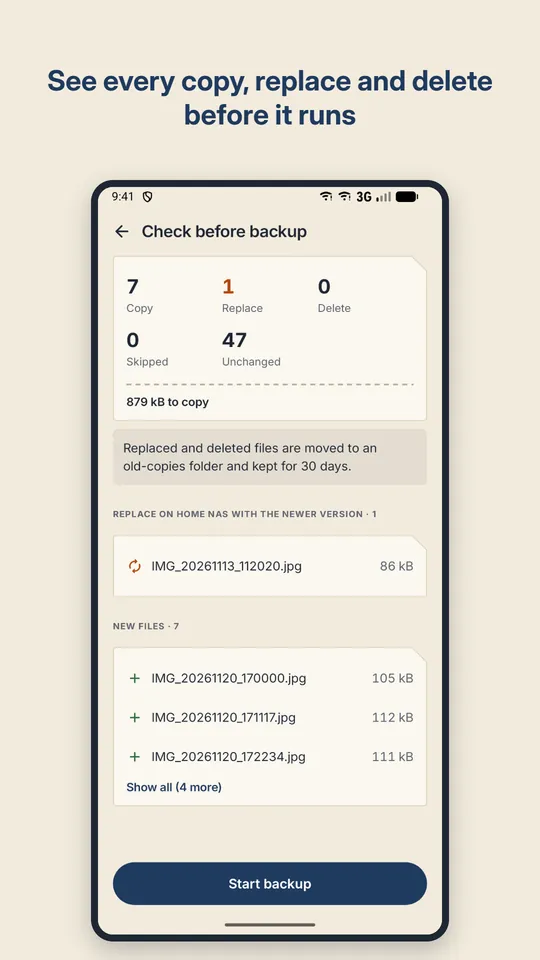
Check before it runs
- A check lists what will be copied, replaced or deleted, and how much data, before anything moves.
- Backup, Copy to this phone, Mirror and Two-way, with conflicts kept as both copies.
- Filters for files and folders to skip.
Nothing overwritten in place
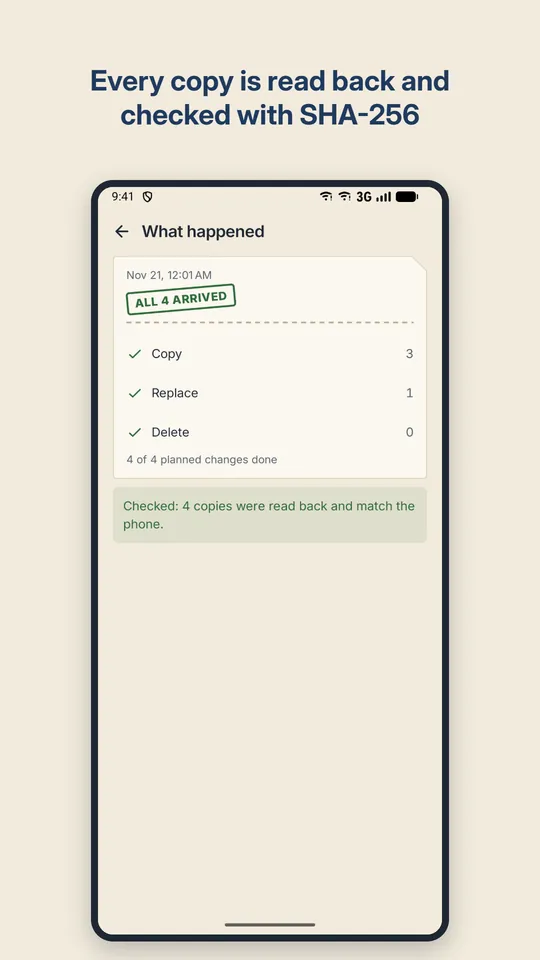
- Each copy is written under a temporary name, read back, compared with SHA-256 and only then renamed.
- Changed and removed files keep their old copy in a versions folder.
- An interrupted run finishes later without copying files twice.
Proof that it works
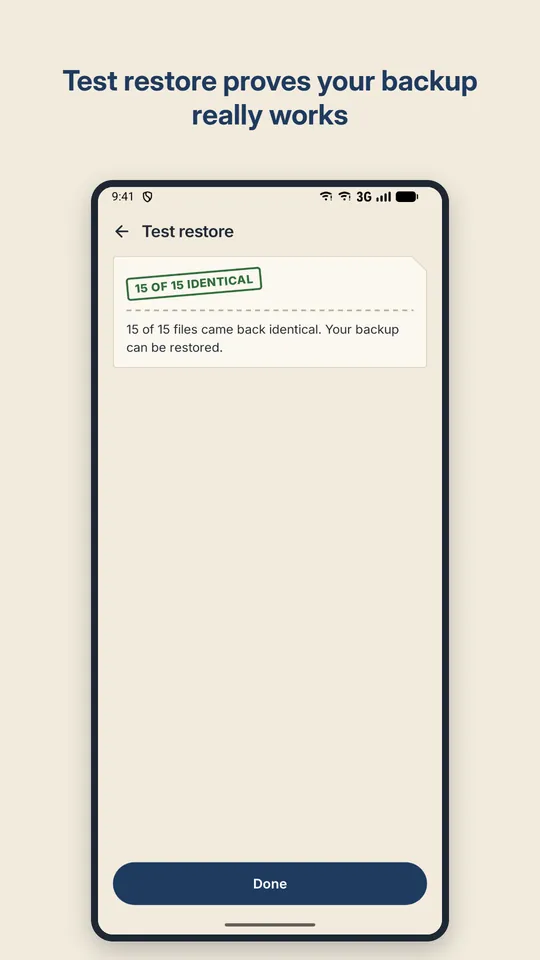
Test restore brings sample files back and compares them byte by byte without changing anything. Get files back restores into a new folder by default, so nothing on the phone is replaced.
Free with optional Pro
All places, two saved backups, a daily automatic backup, checks, reports, test restore and Get files back are free. One Pro purchase, with 14 days free to try, adds unlimited backups and schedules, instant backup, Mirror and Two-way, Free up space, overdue warnings, how long old copies are kept, and export and import. No subscription.
PrivacySafeCopy copies your phone folders to places you choose and own. It has no SafeCopy account, no SafeCopy servers, no advertising and no analytics. CompuJohnny never receives your files or your settings. Read the policy
Terms of useThe rules for using SafeCopy and its purchases. Read the terms
SupportEmail the developer. Replies come from a person. support@compujohnny.com