
Tripswitch — Block any app's internet on Wi-Fi or mobile data
A firewall for every app on your phone. Block any app's internet on Wi-Fi or mobile data with one switch, and see in plain words who it talks to. No root, no ads, no account, and nothing leaves your phone.
- StatusComing soon
- CategoryApp firewall, no root
- PriceFree · one-time Pro
- Languages12 languages
- PlatformAndroid
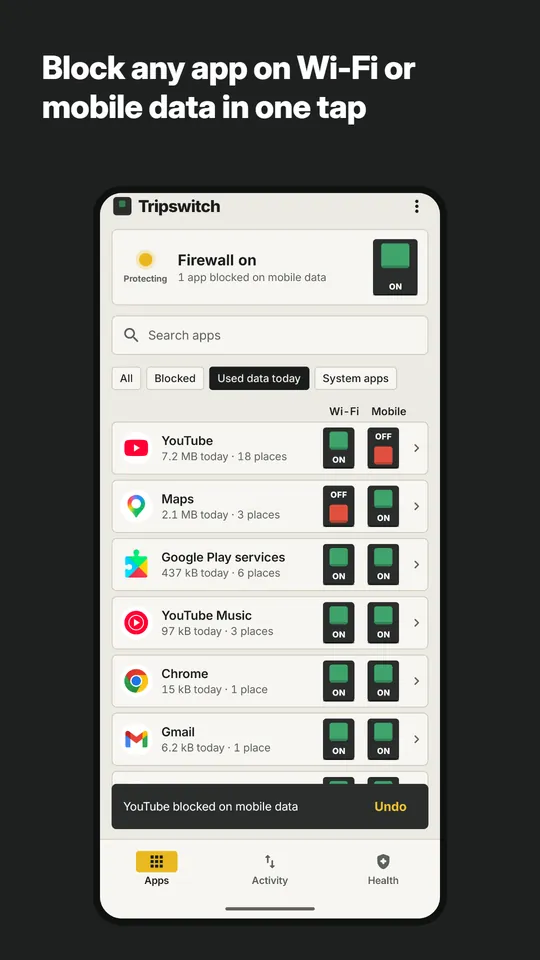
Block in one tap
- Two switches per app, one for Wi-Fi and one for mobile data.
- Block when roaming or when the screen is off, or allow an app for 15 minutes.
- A notice when a new app goes online, with Allow and Block right in it.
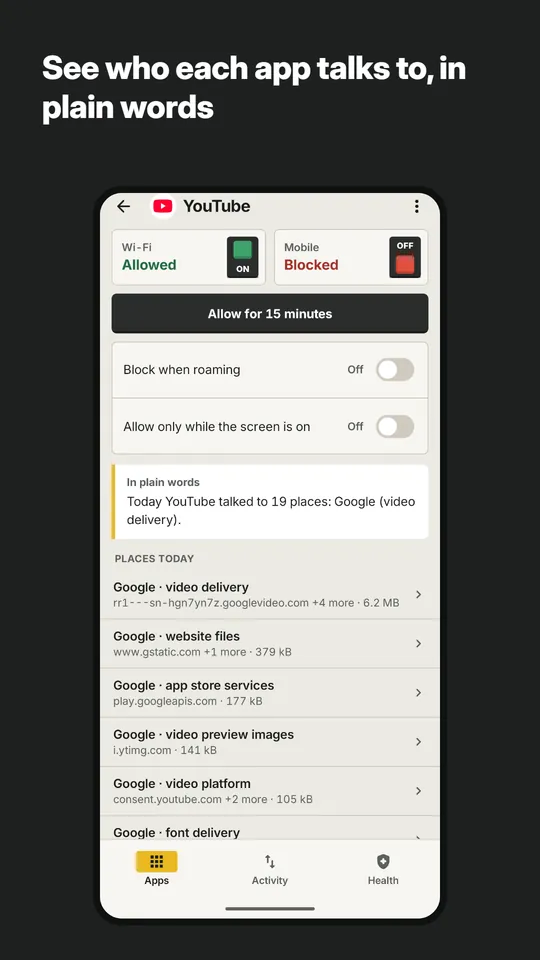
See who each app talks to
- The places each app contacts, grouped by company, with what they are for in plain words.
- Data used per app, on Wi-Fi and mobile.
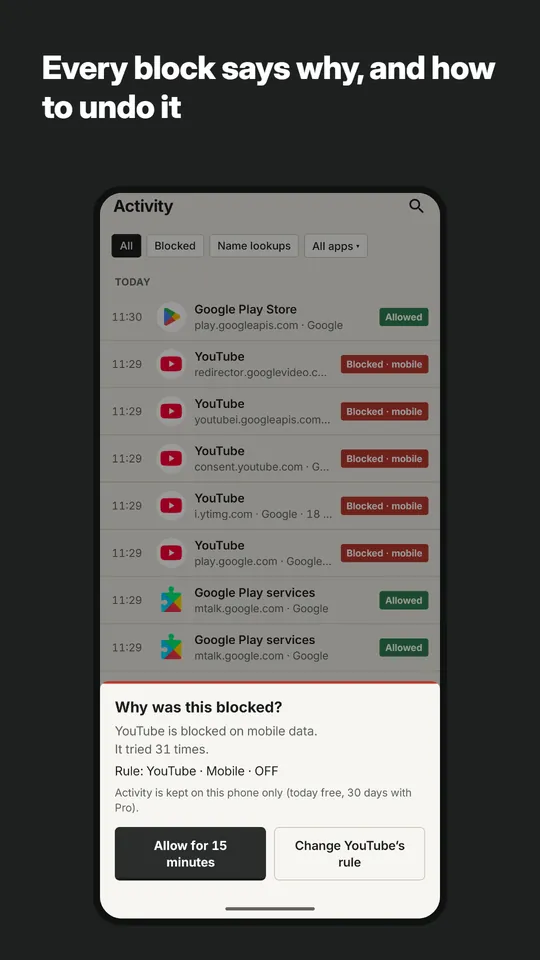
- An activity list that says why something was blocked and lets you change the rule.
Stays on your phone
Tripswitch uses Android's VPN feature only to run the firewall on the phone itself. There is no VPN server, your traffic is not sent anywhere new, and the activity log never leaves the phone. A Health screen and a blocking test show that it is working.
Free with optional Pro
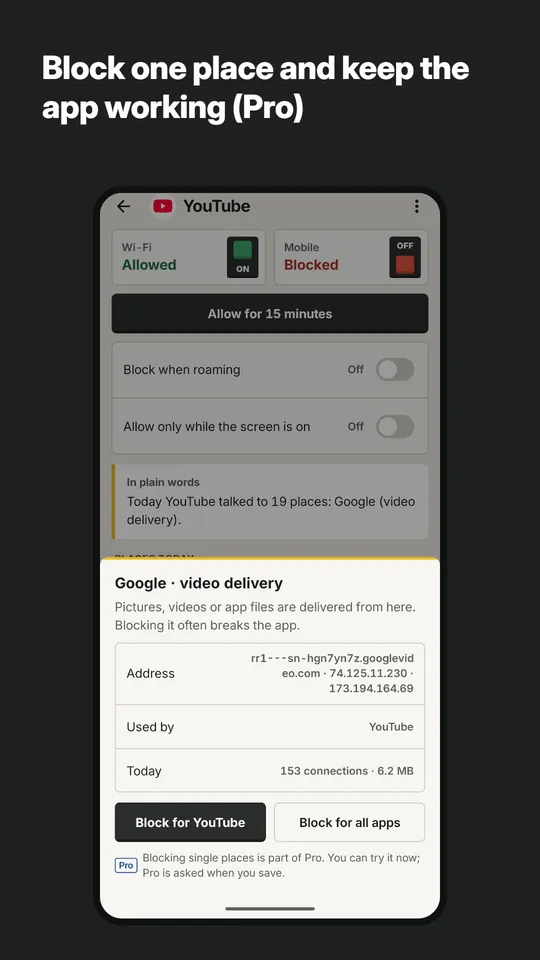
Blocking per app on Wi-Fi and mobile data, new-app alerts, today's activity and Health are free. One Pro purchase adds 30 days of searchable activity, the name lookup log, blocking single places, rules for a chosen Wi-Fi, tracker, malware and adult-site lists, encrypted DNS and CSV export. No subscription.