
Couplet — Your Android phone and Windows PC, linked
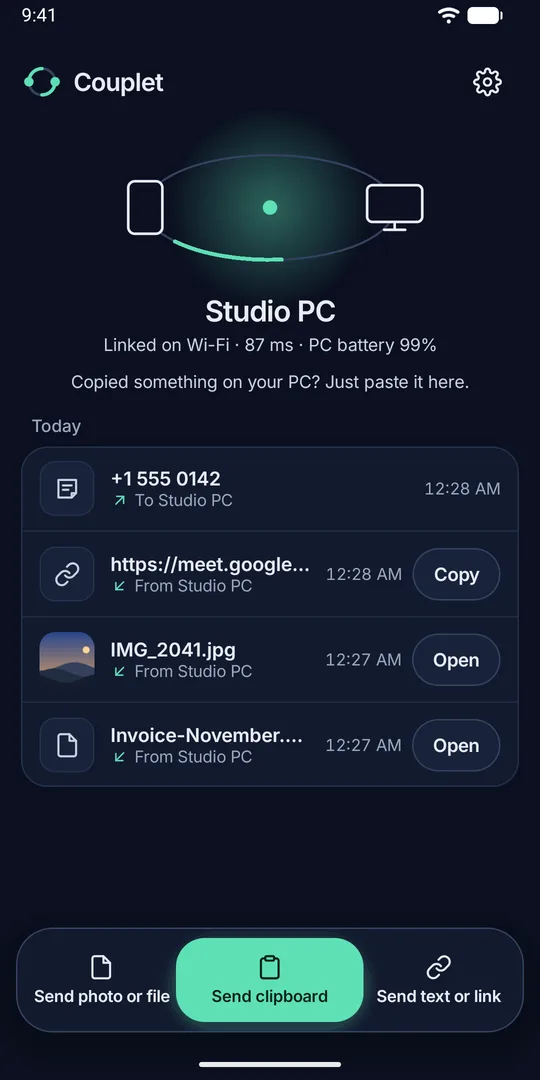
Link your Android phone with your Windows PC on your own Wi-Fi or a USB cable. Copy on one and paste on the other, see and answer phone notifications and texts on the PC, send files, photos and links either way, and ring your phone when you can't find it. No account, no cloud and no ads.
- StatusComing soon
- CategoryPhone and PC link
- PriceFree · one-time Pro
- Languages12 languages
- PlatformAndroid
- Also needsNeeds the free Couplet app for Windows (download below)
Couplet for Windows
Couplet works together with its free companion app for Windows 10 and 11. Download it below, install it on your PC, then link your phone by checking that both show the same 6-digit code.
Copy here, paste there
- Copy on the PC, paste on the phone. It just arrives.
- Send a copy from the phone in one tap: a Quick Settings tile, the notification, the share menu or “Send to PC” when you select text.
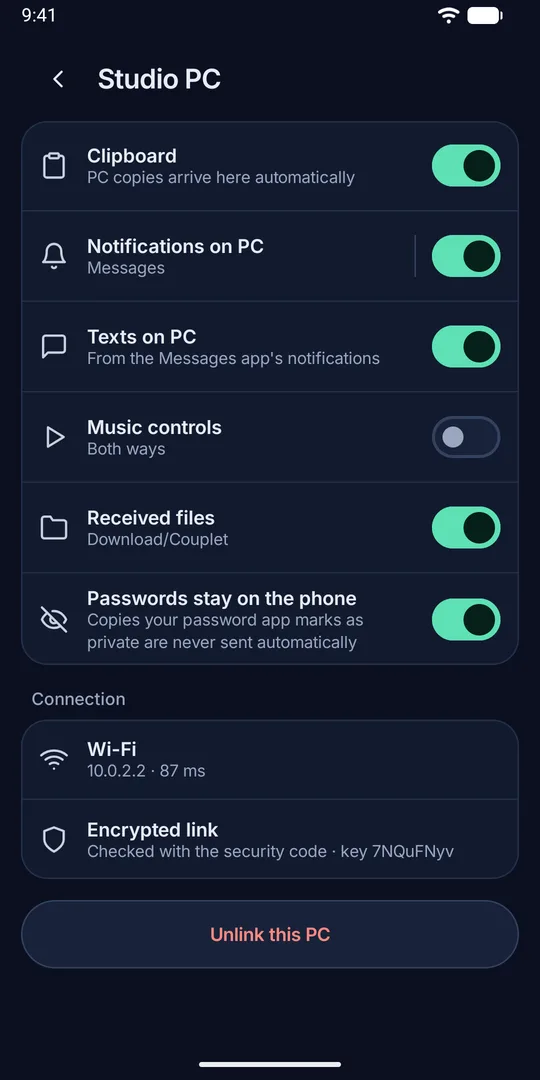
- Copies from password managers are marked private and cleared from both clipboards after a minute.
- Advanced: with a one-time permission from Shizuku or a PC, every copy on the phone can go to the PC by itself.
Notifications and texts on the PC
- See your phone's notifications on the PC, reply to messages and dismiss them on either side.
- Texts arrive through your messaging app's notifications, so Couplet needs no SMS permission.
- You choose which apps are sent; banking apps start switched off.
Send, ring and play
- Send files, photos, links and notes either way, with no size limit. A transfer cut off by Wi-Fi carries on where it stopped.
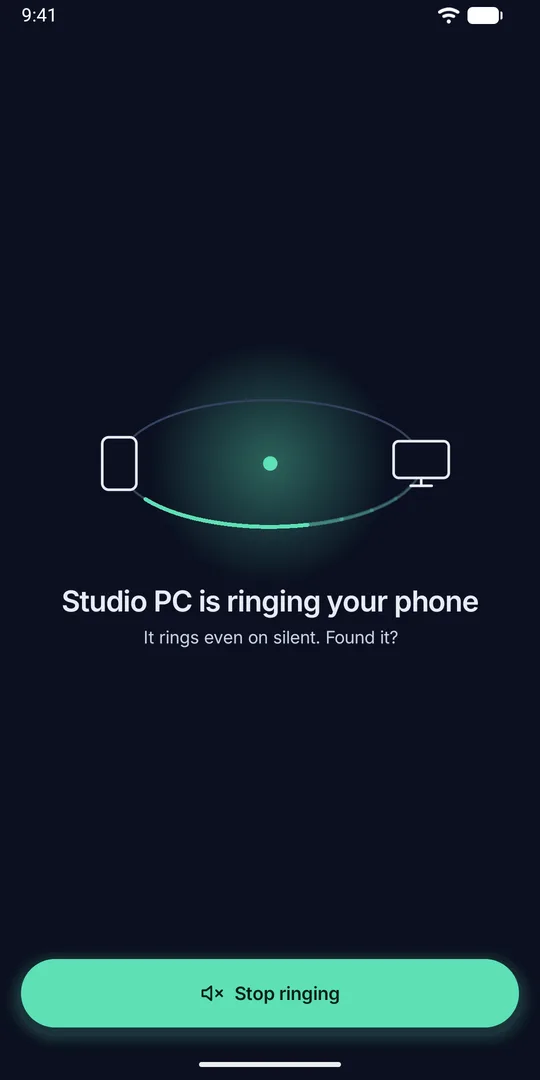
- Ring your phone from the PC, even on silent.
- See the phone's battery on the PC and control music on either device from the other.
Free, with optional Pro
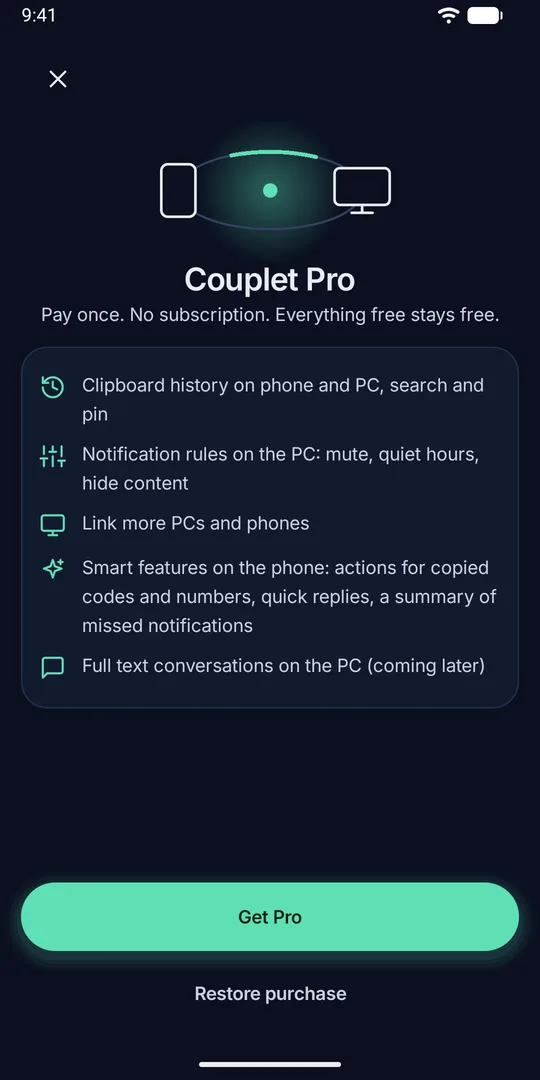
Every everyday feature is free for one phone and one PC, with no monthly limits. One Pro purchase (US$5.99) adds clipboard history with search and pins, notification rules on the PC, more PCs and phones, and smart features that run on the phone: one-tap actions for copied codes, numbers and addresses, quick replies and a summary of missed notifications. No subscription.
Stays between your phone and your PC
Everything goes straight from one device to the other, encrypted, over your Wi-Fi or cable. You link them once by checking that both show the same 6-digit code. There is no Couplet account and no cloud, and nothing is sent to us.